Share once. Get anything done.
Someone sends you their location on WhatsApp. You open Uber, and the pin lands on the main road, a shop, a landmark — anywhere but the house. Then come the phone calls. Pinzaa removes that entire step.
A shared location is not an address.
Service apps in India resolve a shared pin badly. They snap to the nearest point of interest rather than the actual spot, and the person booking is left searching by hand or talking someone through a map they are not confident with. That last step is where it breaks — failed pickups, repeated driver calls, time gone on both sides.
Exact coordinates, not a landmark
Pinzaa converts a shared location into an exact-location link the service app recognises — the real point, not the shop next to it.
No copying, no pasting
Pick a service and it opens with your current location and the shared location already filled in. For the common services, that is the whole interaction.
Works even if they do not have it
When both people have Pinzaa the location arrives already converted. When they do not, paste the Google Maps link they sent and Pinzaa converts it.
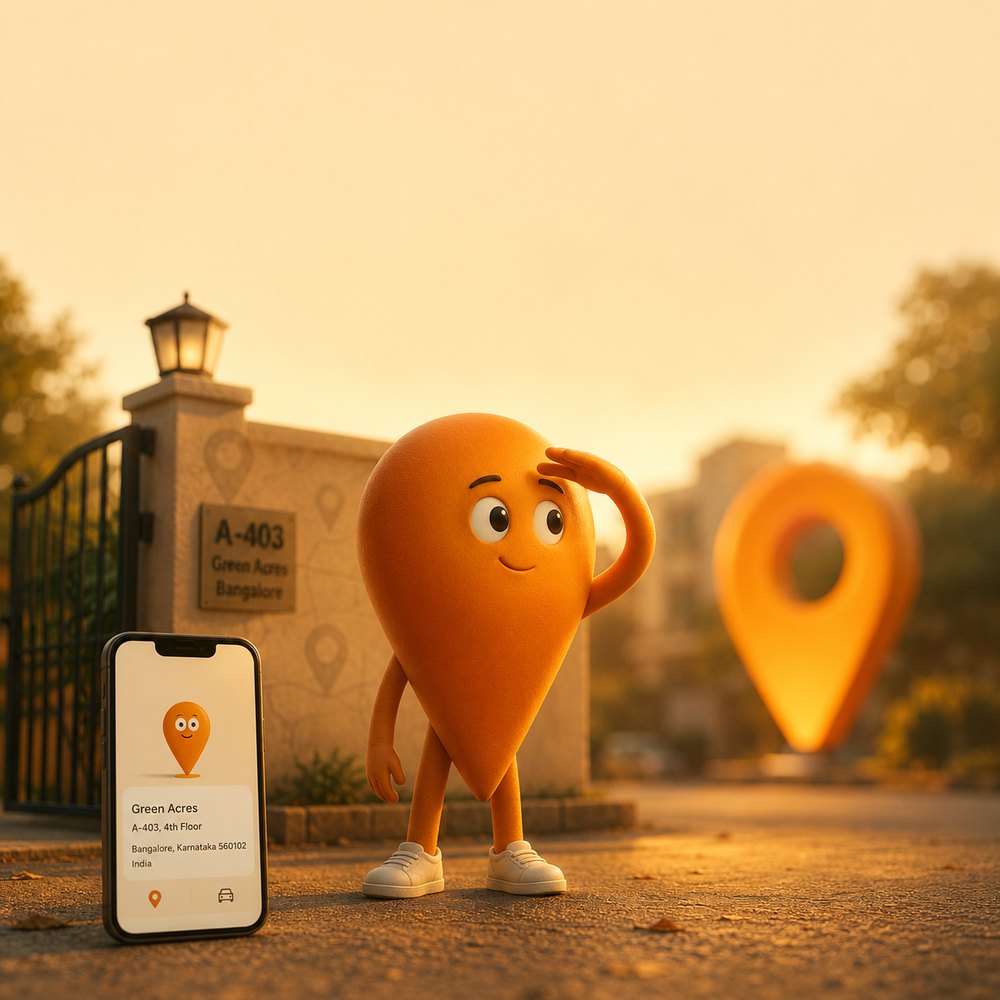
A-403, 4th floor.
Not “near the temple”.
A shared location lands on the main road and the calls start. Pinzaa carries the flat number, the floor and the gate, so the person driving to you already knows where the door is.
Five taps from a shared pin to a booked ride.
Every screenshot below is the real app, not a mock-up.
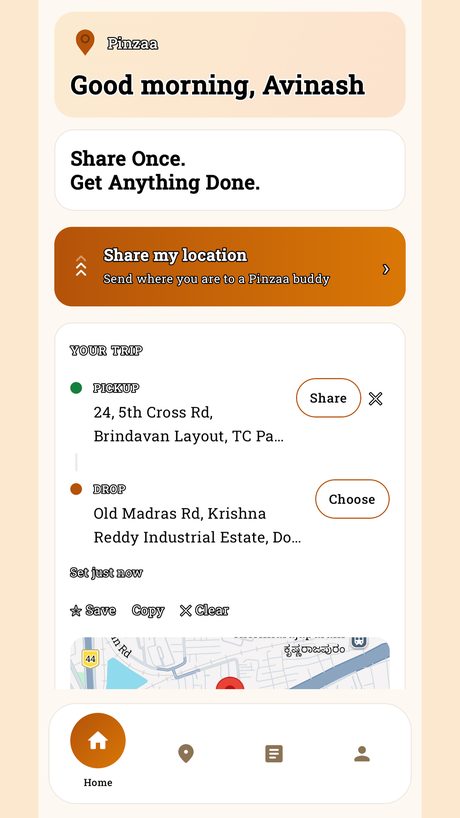
Start from home
Home holds one trip at a time — a pickup and a drop. Either can be where you are standing, a place you saved, or a location somebody sent you.
- Share my location sends where you are to another Pinzaa user, already converted.
- Save, copy or clear the trip without losing the other end of it.
- The map underneath shows exactly what will be handed over.
Pin the real spot
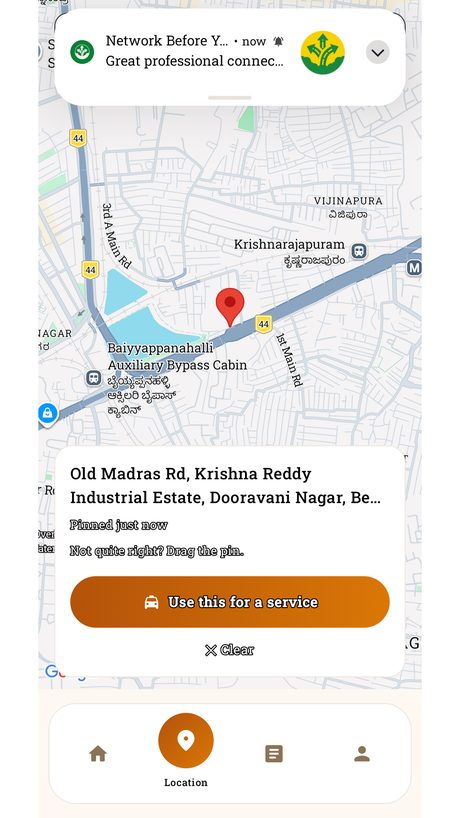
Paste a Google Maps link, tap the map, or use where you are. Pinzaa resolves it to a street address and shows you the pin it is going to use.
- Not quite right? Drag the pin. It is your gate, not the junction.
- The address is read back in words, so you can check it before anything is booked.
- Use this for a service carries the exact point through — no re-search at the other end.
Pick what you actually need
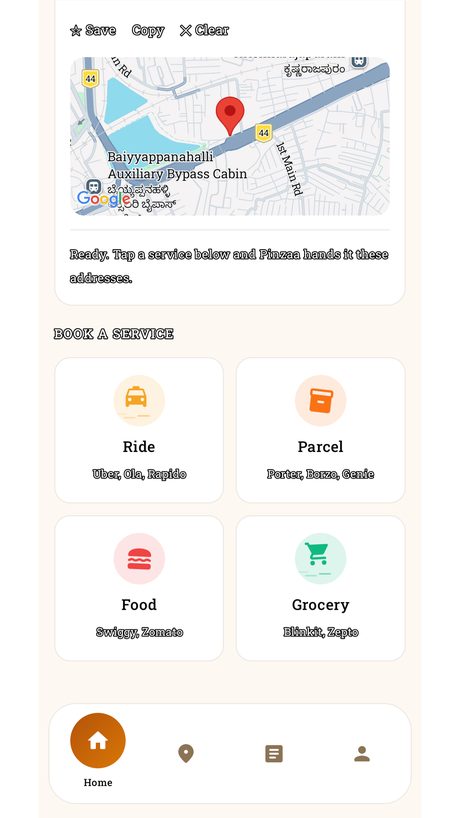
Once both ends are set, Pinzaa offers the services that take a pickup and a drop — and hands them the addresses.
- Ride — Uber, Ola, Rapido
- Parcel — Porter, Borzo, Genie
- Food — Swiggy, Zomato
- Grocery — Blinkit, Zepto
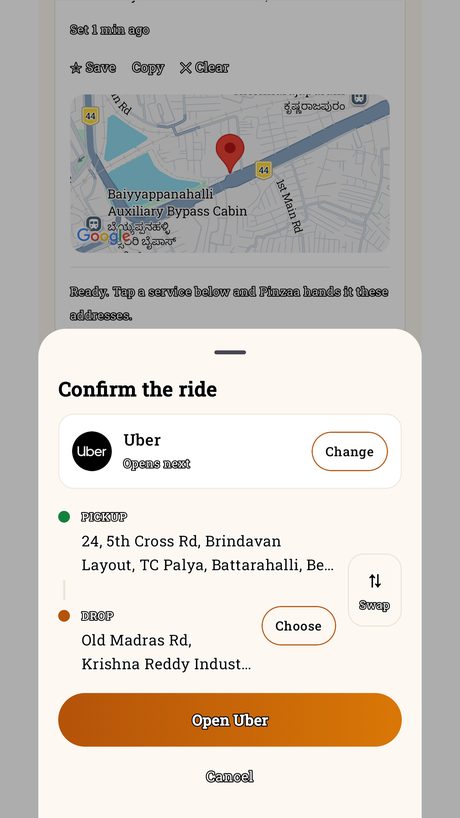
Confirm, then hand over
A last look before anything leaves Pinzaa: which app is about to open, which address is the pickup, which is the drop.
- Swap the two ends if you had them the wrong way round.
- Change the service without starting over.
- Open Uber — and the booking screen comes up already filled in.
Keep the places you use
Home, the office, your parents’ flat, the warehouse that no map service has ever got right. Save a location once and book from it directly, any time.
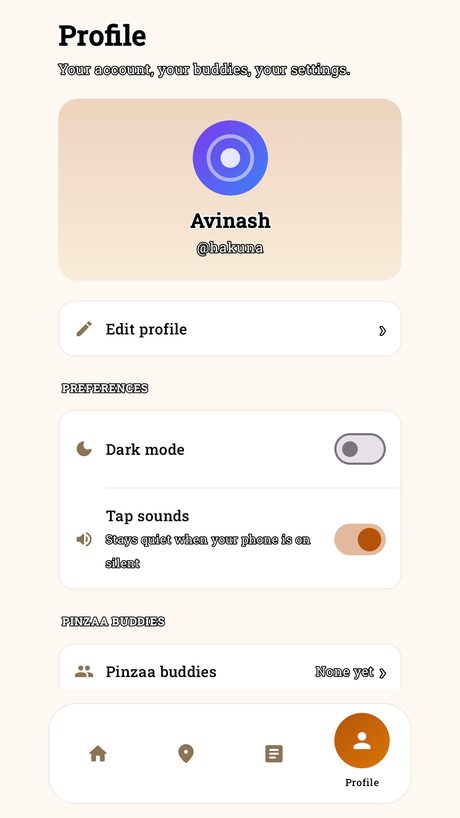
- Saved places sit alongside your profile and your Pinzaa buddies.
- Anything you save can be shared to another Pinzaa user as-is.
- Deleting your account removes all of it — see the account deletion page below.
Pin
The map pin, with legs. It goes and finds the exact spot before your driver does, then plants itself there — which is the one thing Pinzaa actually does.
It shades its eyes while you are choosing, walks while an address resolves, and plants itself when the spot is set.
Want something like this for your own idea?
Pinzaa is native Android — Kotlin and Compose, deep links into a dozen third-party apps, and a share flow that had to work on the first try. Built end to end by igotisekai.